
UI Best Practices
Follow these guidelines to optimize your integration and achieve the best results.
Payment Methods Page
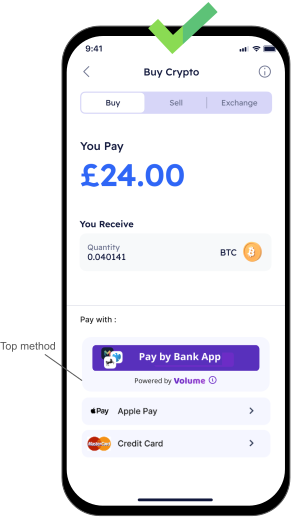
The payment methods page is a critical point for driving adoption. Position Volume Payments prominently and accessibly to ensure visibility and ease of selection.
Since Volume may be less familiar to users compared to traditional card payments, encouraging customers to try it at least once helps build trust and enables informed decisions.
Payment methods are typically presented in one of three formats:
Interactive buttons
Radio buttons
Drop-down buttons
Interactive button | Radio-buttons | Drop-down buttons |
|---|---|---|
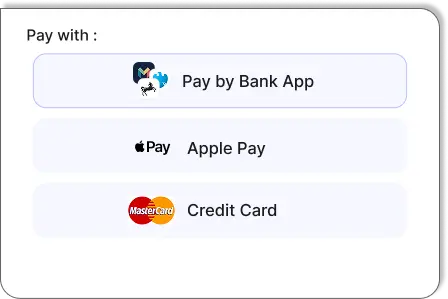 | 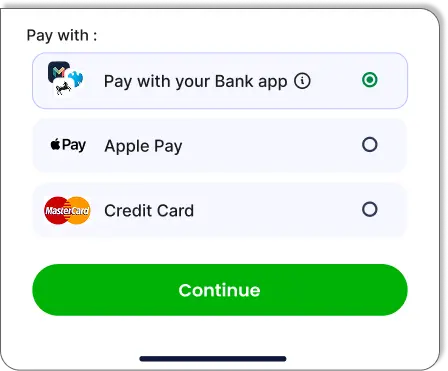 | 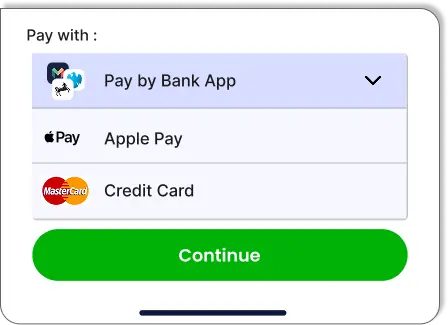 |
While basic presentations allow customers to complete a payment, they often lack guidance to enhance the user experience and support business objectives.
Recommendation: Use interactive buttons wherever possible. They provide a fast and seamless transition from the payment methods screen to the success page.
Button Placement
Interactive buttons are highly effective for mobile UX. They are intuitive, user-friendly, and require minimal input, making them ideal for streamlined navigation.
If the payment methods page is the final step in the user journey, implement the main Volume component directly on this page. This is important because the Volume component initiates a redirect to the bank for authorization, skipping any subsequent pages in the flow.
Standardized Copy
If additional pages follow the payment methods screen, implement the Volume Selector component for the icon and use the following copy:
Primary copy: Pay by Bank App
Secondary copy: Safe, easy, and Bank-protected


Avoid Rendering the Button on an Empty Page
Do not render the button on an otherwise blank page solely to wait for back-end payment identifiers. The Volume SDK provides ways to render the button without immediate access to paymentReference or merchantPaymentId.
Use the PaymentIdentifiersProvider function to pass these identifiers to the component when they become available, and manage the button’s state using the isEnabled property to handle any back-end delays.